






Fuji Electric offers a suite of software solutions for industrial Human-Machine Interfaces (HMIs), covering programming ( V-SFT software), data processing ( PodViewer software), and remote control and monitoring of industrial processes (Tellus & V-server software).
Fuji Electric's MONITOUCH software supports automation engineers, machine builders, maintenance teams, and production specialists. This guide to Fuji HMI software explains how to select software for your MONITOUCH HMI projects, find official downloads and manuals, and verify configuration and licensing requirements. Start by identifying your terminal model and the task at hand.
Choose V-SFT to configure compatible MONITOUCH HMI screens, PodViewer to analyze recorded process data, and TELLUS with V-Server for remote monitoring and control. V-Server also supports centralized data collection and recipe management.
V-SFT is configuration software for Hakko and Fuji Electric HMIs including Fuji Electric’s MONITOUCH displays and compatible models from the V8, V9, V10, TS, and X1 series model, with multi-vendor connectivity for industrial automation systems. The software is available in ver.5 and ver. 6, which can be downloaded directly along with free update modules.
V-SFT Ver. 6 features a user-friendly interface with a modernized ribbon-style menu, delivering improved usability for creating complex screens using advanced tools such as Component Parts. Its enhanced navigation also includes an expanded search feature. It also incorporates the system requirements necessary to ensure optimal compatibility with PCs dedicated to industrial engineering.
This robust and flexible software solution makes V-SFT an essential tool for automation engineers and technicians who want to customize, simulate, and efficiently manage their HMI screens for the development of machine-level human-machine interfaces in industries such as manufacturing, packaging, and water treatment, with integration into various programmable logic controllers (PLCs).
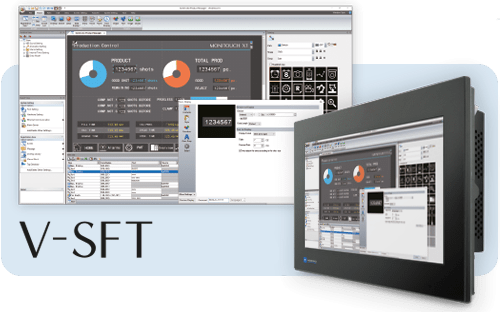
The V-SFT tool offers an Emulator mode (HMI display on a PC) and a Simulator mode (simulation of inputs/outputs). On Monitouch V10 and V9, screens can be tested on the PC without connecting an HMI or PLC; on V8/TS, the simulator works in conjunction with the HMI.
Automatic screen resolution :
V-SFT supports the Auto Size Change feature: during model conversion, screen sizes are adjusted automatically. This logic applies to the range's current resolutions (e.g. QVGA 320×240 ↔ WVGA 800×480), with project conversion tools between series.
Function keys from earlier models can be integrated into the display to reuse existing applications; their operation can be tested in the emulator.
A built-in pdf document viewer supports video playback and document viewing directly on HMI displays.
You can also configure alarm messages with scrolling alarm messages options for display customization.
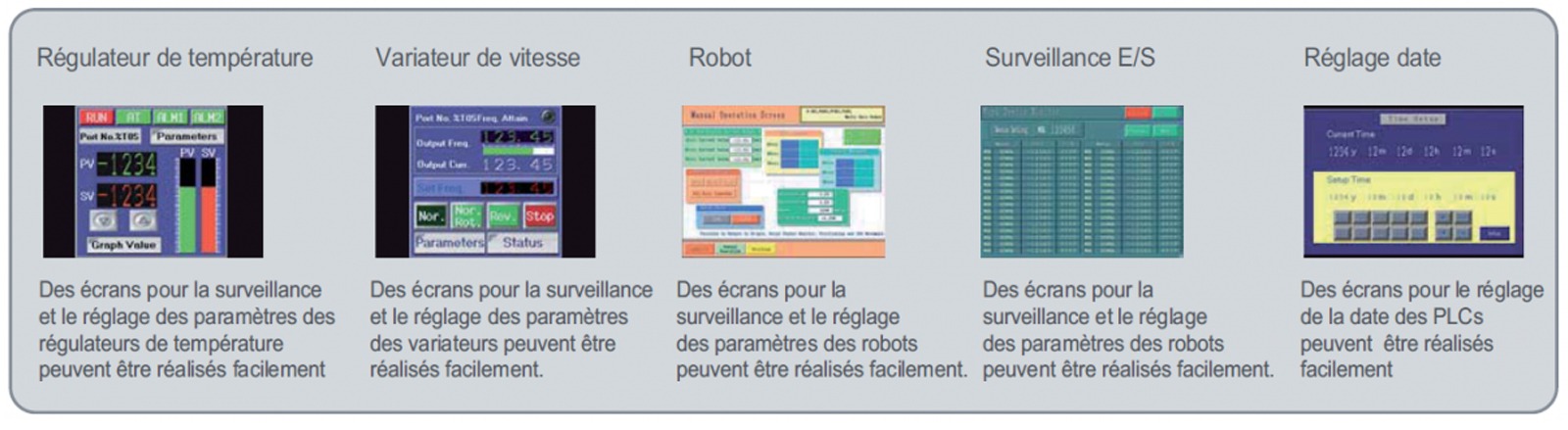
V-SFT software updates are available free of charge on theMonitouch Fuji Electric website. To stay informed about new updates, please register on this website.
PodViewer is Fuji Electric ’s MONITOUCH data analysis and visualization software: it processes recordings in CSV or binary format, displays measurements as graphs, includes a history of alarms and events, offers zoom and annotation features, and allowsusers to export reports (PDF or bitmap).
Ideal for production, quality, and process engineering teams, PodViewer speeds up the interpretation of process data and the generation of actionable reports.
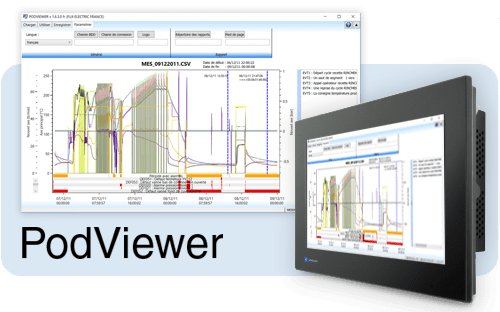
Developed by Fuji Electric, the PodViewer software is designed to analyze industrial data from log files in CSV or binary format. It displays measurements as easy-to-read graphs, making it easier to interpret and monitor performance.
Data—measurements, alarms, and events—is automatically stored in Monitouch as CSV or encrypted files. Once processing is complete, these files can be transferred to a server or imported into a database for centralized use.
Even in the event of a network or server failure, files remain securely stored on the Monitouch terminal, ensuring reliable business continuity and preventing data loss.
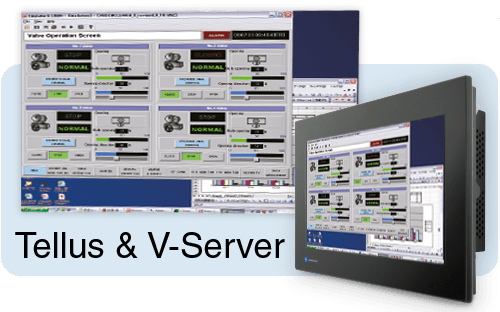
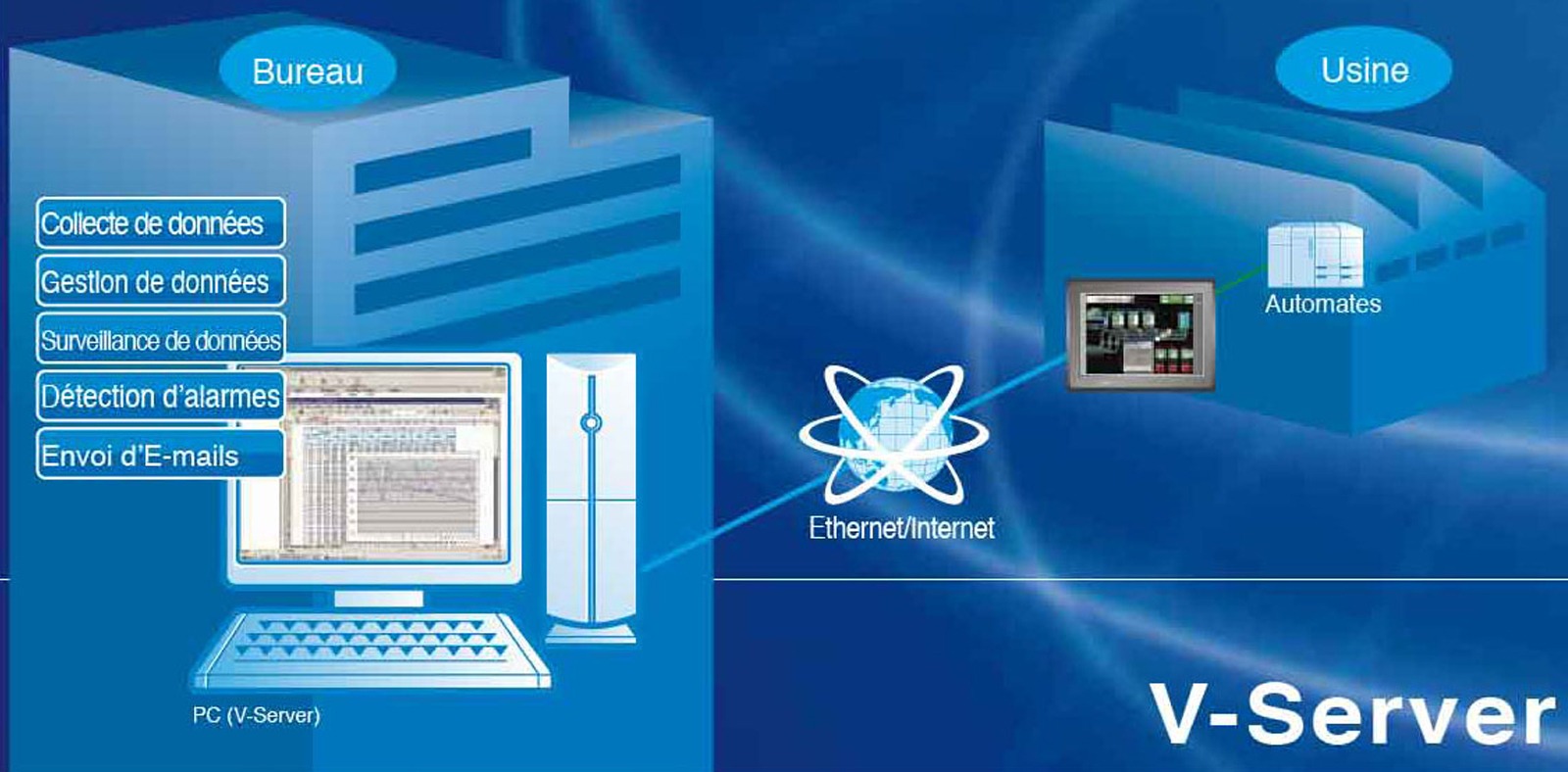
Tellus & V-Server, developed by Fuji Electric, are software solutions for remote control and monitoring specifically designed for MONITOUCH HMI interfaces.
From your desktop computer, you can view, control, and monitor all your production data in real time, enabling a rapid response to changes and a significant improvement in operational efficiency.
This combination ensures optimized production, reduces costs, and guarantees an immediate response to conditions on the production line.
Main functions
You can download and update the Tellus and V-Server software for free from theMonitouch Fuji Electric website.
To stay informed about new updates, please register on this website.

V-SFT is used with compatible MONITOUCH models. Check the manufacturer's compatibility chart for the exact model: the TS4000 uses Smart Editor, and certain features on other models also require Smart Editor.
The supported conversion features can make it easier to reuse legacy applications. Check the source and target models, keep a backup, and validate the converted project on the replacement device. Some older models require V-SFT-5.
Official update modules can be downloaded through the manufacturer’s service, which is accessible after registration. For V9 and V10, check which solution is appropriate: V-SFT-6 or Smart Editor. A downloadable update does not grant a new, unrestricted license, and Smart Editor requires a separate purchase. Confirm the license for the selected product before using it in production.
Select the configuration editor that corresponds to your HMI model to program the screens; PodViewer for compatible historical data; TELLUS Remote with V-Server for remote access to the screens; or V-Server for centralizing data and recipes. Confirm the model and version before downloading.
PodViewer is used to review recorded data and generate analysis reports. V-Server is used to collect and transfer data via MONITOUCH, manage revenue, and handle alarm-related functions.
Yes. The manufacturer specifies that TELLUS and V-Server must be used together for TELLUS Remote mode. Select the license and installation configuration that correspond to the required features.
MONITOUCH supports connections to devices from multiple manufacturers. Compatibility depends on the specific API, communication driver, terminal, and software version. Please verify this combination for your installation.